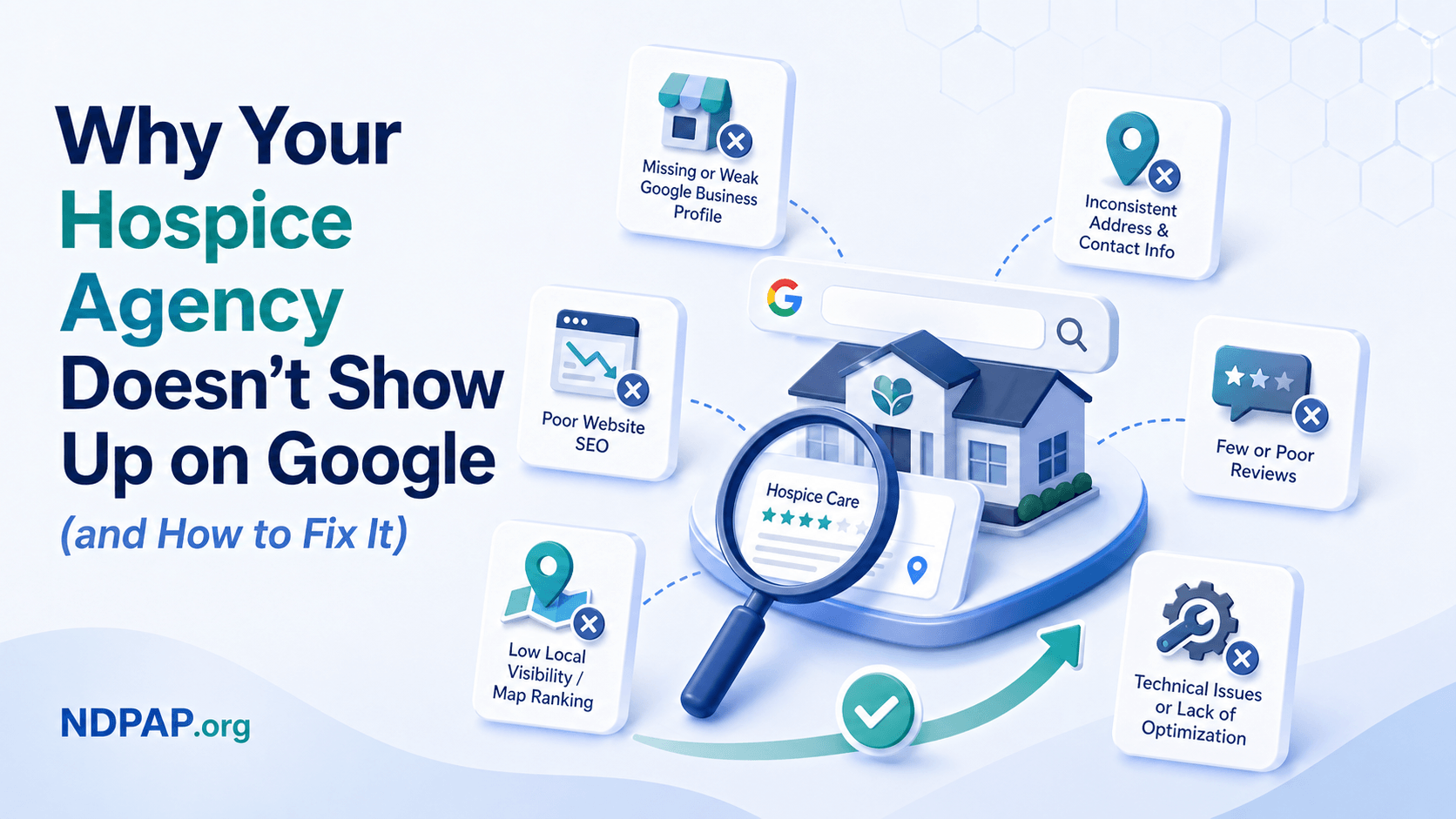
TL;DR: If families in your service area search "hospice near me" and your agency doesn't appear, you're losing referrals to competitors who may not provide better care — they just have better visibility. With 77% of patients starting their healthcare search on Google, and the top three local pack results capturing nearly 50% of all clicks, invisibility is a business-critical problem. This article breaks down the five most common reasons hospice and home health agencies don't show up, backed by industry data and Google's own ranking signals, and gives you a concrete fix for each one.
Table of Contents
- The Visibility Problem Nobody Talks About
- How Google Decides Who Shows Up (and Who Doesn't)
- Reason 1: Your Google Business Profile Is Unclaimed or Incomplete
- Reason 2: Your NAP Information Is Inconsistent Across the Web
- Reason 3: You Have Few or No Google Reviews
- Reason 4: Your Website Doesn't Signal Local Relevance
- Reason 5: You're a Service Area Business Without a Visibility Strategy
- The Compound Effect: How These Problems Stack
- What Your Competitors Are Doing That You're Not
- A 30-Day Visibility Audit Checklist
- Frequently Asked Questions
The Visibility Problem Nobody Talks About {#the-visibility-problem}
There are approximately 5,900 Medicare-certified hospice agencies operating in the United States, according to NHPCO's Facts and Figures report. In 2024, 1.91 million Medicare beneficiaries enrolled in hospice care, with 53.1% of all Medicare decedents receiving hospice services — the highest utilization rate ever recorded.
The demand side is growing. The supply side is crowded. And for independent agencies, the battlefield has shifted from hospital hallways to Google search results.
Here is the uncomfortable reality: when a family member types "hospice care near me" or "hospice in [your city]" into Google, the top three results in the local pack capture approximately 48% of all clicks. The first position alone receives 17.8% of click-throughs, according to local search CTR data tracked by industry researchers. If your agency is not in those three positions, the majority of families searching for care in your area will never see your name.
This isn't a nice-to-have marketing problem. It's a referral pipeline problem. According to healthcare SEO research, 77% of patients begin their healthcare journey on Google. And the shift from hospital-driven referrals to family-initiated searches means that an increasing share of your census depends on whether families can find you online.
Many agency owners assume their reputation speaks for itself. They've been in the community for years. The hospitals know them. The doctors refer to them. But the referral landscape is changing. CMS now requires hospitals to present multiple provider options to patients and families during discharge planning, and families are increasingly doing their own research before — or instead of — accepting a hospital's suggestion.
If they can't find you, they can't choose you.
How Google Decides Who Shows Up (and Who Doesn't) {#how-google-decides}
Google's local search algorithm — the system that determines which businesses appear in the map pack and local results — evaluates three core factors. Understanding these is essential because most visibility problems trace back to a failure in one or more of them.
The Three Pillars of Local Ranking
Relevance measures how well your business profile and website match what the searcher is looking for. If someone searches "hospice care in Dallas" and your Google Business Profile lists your category as "Home Health Care Service" but not "Hospice," Google may not consider you relevant to that query. According to Whitespark's 2026 Local Search Ranking Factors survey — the industry's most comprehensive annual study, surveying 47 top local SEO experts across 187 factors — your primary Google Business Profile category is the single most important relevance signal.
Distance is how close your business is to the searcher or the location specified in their search. For service area businesses like hospice and home health agencies, this is complicated by the fact that you may not have a public-facing office address. We'll address this specifically in Reason 5.
Prominence is Google's assessment of how well-known and trusted your business is, both online and offline. Prominence is influenced by review volume and quality, citation consistency, website authority, and behavioral signals (how many people click on your listing, call your number, or request directions). According to the Whitespark survey, domain strength (website authority), review signals, and proximity remain the three most impactful ranking factor categories.
What This Means for Hospice and Home Health
The local search algorithm does not care how good your clinical outcomes are, how compassionate your nurses are, or how long you've been in business — unless those things are reflected in your digital presence. Google can only evaluate what it can see: your Business Profile, your reviews, your website, and your citations across the web.
The five reasons below represent the most common ways hospice and home health agencies fail to show up. Each one maps directly to a breakdown in relevance, distance, or prominence.
Reason 1: Your Google Business Profile Is Unclaimed or Incomplete {#reason-1-gbp}
Your Google Business Profile (GBP) is the single most important asset for local visibility. It's the listing that appears in the map pack, displays your hours and phone number, shows your reviews, and — for many families — serves as their first impression of your agency.
The Scale of the Problem
Across all industries, approximately 51% of Google Business Profiles remain unclaimed, according to GBP statistics compiled by industry researchers. Healthcare performs better than average — roughly 75–81% of healthcare profiles are verified — but that still means one in five to one in four healthcare businesses has an unclaimed or unverified profile.
An unclaimed profile means Google may have auto-generated a listing for your agency based on data it scraped from the web, Medicare provider files, or other sources. That listing may have the wrong phone number, an outdated address, no photos, no business description, and no way for you to respond to reviews. It exists, but it works against you rather than for you.
What an Incomplete Profile Costs You
Google Business Profile signals account for approximately 32–36% of local pack ranking factors, according to BrightLocal's analysis of local ranking signals. An incomplete profile doesn't just look bad — it actively suppresses your ranking.
Here is what Google evaluates on your profile:
| GBP Element | Why It Matters | Common Hospice Agency Mistake | |---|---|---| | Primary category | The #1 relevance signal for local search | Listed as "Home Health Care Service" only — missing "Hospice" | | Secondary categories | Expands the queries you can appear for | Not using categories like "Palliative Care," "Home Health Care Service" | | Business description | Helps Google understand what you do | Empty, or copied from a template with no local detail | | Service area | Tells Google where you operate | Not defined, or set to a single city when you serve a county | | Photos | Signals an active, legitimate business | Zero photos, or only a logo | | Posts | Signals recency and activity | Never used | | Q&A | Opportunity to address common questions | Unmonitored — competitors or spam may have posted answers | | Attributes | Highlights what makes you different (e.g., "veteran-led," "24/7 availability") | Not configured |
The Fix
Claim your profile at business.google.com if you haven't already. Complete every field. Set your primary category to "Hospice" (if that's your primary service) and add relevant secondary categories. Upload at least 10 photos — your office, your team (with permission), your vehicles, your branded materials. Write a business description that includes your service area, specialties, and the populations you serve. This is not a one-time task: Google rewards profiles that are regularly updated with posts, photos, and review responses.
Reason 2: Your NAP Information Is Inconsistent Across the Web {#reason-2-nap}
NAP stands for Name, Address, and Phone Number — the three data points Google uses to verify that your business is real, legitimate, and located where you say it is. NAP consistency means these three fields are exactly identical everywhere they appear online: your website, your Google Business Profile, Medicare.gov, your state licensing board listing, Yelp, Healthgrades, and every other directory or citation source.
Why Inconsistency Kills Visibility
Citation signals — which include NAP accuracy and consistency — contribute to approximately 11% of local ranking factors, according to local SEO research. That may sound small, but the impact is outsized because inconsistency doesn't just reduce one signal — it actively creates negative signals that tell Google your business data is unreliable.
Research tracked by citation management platforms shows that businesses achieving full NAP consistency can experience up to a 156% improvement in Google Maps visibility within 90 days, according to NAP consistency studies. Conversely, documented cases show that businesses with address inconsistencies have lost top-three local rankings and taken up to two years to recover.
Common NAP Mistakes in Hospice and Home Health
Google's algorithm is literal. These are not the same listing:
- "ABC Hospice" vs. "ABC Hospice, LLC" vs. "ABC Hospice Care"
- "123 Main St." vs. "123 Main Street" vs. "123 Main St, Suite 200"
- "(555) 123-4567" vs. "555-123-4567" vs. "5551234567"
Hospice and home health agencies are particularly vulnerable to NAP inconsistency because of name changes after acquisitions (the old name persists on directories nobody remembers to update), multiple office locations with different phone numbers routed to the same intake line, state licensing and Medicare enrollment records that use a legal entity name different from the DBA name, and historical listings on directories the agency doesn't even know exist.
The Fix
Audit your NAP across the four major data aggregators (Data Axle, Neustar/Localeze, Foursquare, and Yelp) because these feed hundreds of smaller directories. Search for your agency name in quotes on Google to find listings you may not know about. Establish one canonical version of your business name, address, and phone number and update every listing to match it exactly. Start with your Google Business Profile, your website, Medicare.gov Care Compare, and your state licensing board, then work outward.
Reason 3: You Have Few or No Google Reviews {#reason-3-reviews}
Reviews are no longer optional. They are a primary ranking signal, a trust signal for families, and increasingly, a factor in whether AI systems recommend your agency.
What the Data Says
According to BrightLocal's 2026 Local Consumer Review Survey, conducted with over 1,000 U.S. consumers:
- 97% of consumers read online reviews before choosing a local business
- 68% will only use a business with 4 or more stars (up from 55% in 2025)
- 31% will only use a business with 4.5 or more stars (up from 17% in 2025)
- 41% of consumers "always" read reviews when browsing for businesses (up from 29% in 2025)
Review signals now account for 16–20% of local pack ranking factors, according to Whitespark's ranking factors research, and this percentage has increased year over year. Google's algorithm evaluates review volume, recency, diversity (across platforms), and even the specific words used in review text — reviews that mention "hospice," "compassionate care," or your city name contribute to your relevance for those queries.
The Hospice Review Challenge
Hospice agencies face a genuine challenge with reviews that most businesses don't: your "customers" are families navigating one of the most difficult experiences of their lives. Asking for a review feels inappropriate, and the timing is never right.
This is a real constraint, but it's not an excuse for having zero reviews. Families who have had a positive experience with your agency often want to share it — not because you asked, but because it helps them process their grief and honor the care their loved one received. The challenge is creating a pathway that feels respectful, not transactional.
Some approaches that work for hospice agencies without being inappropriate: follow up with a bereavement card 30–60 days after the patient's passing that includes a gentle note about sharing their experience if they feel comfortable, include a "Share Your Experience" link on your website that leads to your Google profile, train your social workers and chaplains to recognize families who spontaneously express gratitude and let them know their words could help other families facing similar decisions.
The Fix
Set a goal of 2–3 new reviews per month. Respond to every review — positive and negative — within 48 hours. BrightLocal's data shows that 81% of consumers now expect a response within a week, and 32% expect a response by the next day. Use your responses to add relevant keywords naturally ("Thank you for trusting [Agency Name] with your family's hospice care in [City]"). Never offer incentives for reviews, and never post fake reviews — Google's August 2025 spam update specifically targeted these practices.
Reason 4: Your Website Doesn't Signal Local Relevance {#reason-4-website}
Your website is the foundation of your online presence, and for local search, it needs to do more than look professional — it needs to explicitly tell Google where you operate and what services you provide in each area.
Why Your Website Matters for Local Rankings
On-page SEO signals (your website content) account for approximately 19% of local pack ranking factors, according to local search research. But for hospice and home health agencies, the most common website problem isn't bad SEO — it's no local SEO at all.
A typical independent agency website might have a homepage, an "About Us" page, a "Services" page, and a "Contact Us" page. That's it. No mention of the specific cities or counties you serve. No pages optimized for "hospice care in [city]." No content that demonstrates expertise in the local healthcare landscape.
Google cannot rank you for "hospice care in Arlington, TX" if the word "Arlington" doesn't appear anywhere on your website.
What Local Relevance Looks Like
Agencies that show up in local search typically have these website elements:
Location-specific service pages. If you serve five counties, you should have a page for each one that describes the specific services you offer there, the hospitals you work with, and the communities you cover. These are not duplicate pages with the city name swapped in — they contain genuinely different information about each service area.
Schema markup. Structured data (in the form of schema.org markup) helps Google understand your business information in a machine-readable format. For hospice and home health agencies, LocalBusiness, MedicalOrganization, and Service schemas tell Google exactly what you do and where. Most agency websites have no schema markup at all.
Mobile optimization. Over 60% of healthcare searches happen on mobile devices, according to healthcare search behavior data. If your website loads slowly or is difficult to navigate on a phone, Google will deprioritize it in mobile search results — which is where most family searches originate.
Secure, fast, and accessible. HTTPS is a ranking signal. Page speed is a ranking signal. Accessibility (can a screen reader navigate your site?) is both a ranking factor and a legal requirement for healthcare organizations.
The Fix
Start with three actions. First, create a service area page for each major city or county you serve — even a single well-written page with 500+ words of locally relevant content is better than nothing. Second, add LocalBusiness schema markup to your homepage (Google's Structured Data Markup Helper can generate this for free). Third, test your site speed at PageSpeed Insights and fix anything flagged as critical.
Reason 5: You're a Service Area Business Without a Visibility Strategy {#reason-5-sab}
This is the reason that's unique to hospice and home health — and it's the one most agencies don't even know is a problem.
The Service Area Business (SAB) Dilemma
Hospice and home health agencies are what Google calls "Service Area Businesses" — businesses that travel to the customer rather than serving customers at a fixed location. Other SABs include plumbers, electricians, and mobile pet groomers.
The challenge is that Google's local search algorithm was originally designed around storefronts with addresses. When someone searches "pizza near me," Google can easily match nearby pizza restaurants with verified addresses. But when someone searches "hospice near me," the algorithm has to rely on the service area you've defined in your Google Business Profile, which is inherently less precise.
This creates two specific problems for hospice agencies:
You don't appear on Google Maps the same way. SABs can hide their physical address (which is recommended if your office isn't open to the public), but this means Google has less confidence about where you actually serve. If your service area definition is vague or too broad, Google may not show you for hyper-local searches.
Proximity signals are weaker. For storefront businesses, Google can verify the address and calculate exact distance to the searcher. For SABs, Google relies on the service area boundaries you set — and if you've set them to an entire state (because you technically serve the whole state), you'll rank for none of those locations because Google interprets overly broad service areas as a low-confidence signal.
The Fix
In your Google Business Profile, set your service area to the specific cities and counties you actively serve — not your entire state, and not "United States." If you serve the Dallas-Fort Worth metroplex, list the specific cities: Dallas, Fort Worth, Arlington, Plano, Irving, etc. This gives Google precise geographic signals. Complement this with location-specific pages on your website (see Reason 4) that reinforce to Google that you genuinely serve each of those areas.
The Compound Effect: How These Problems Stack {#the-compound-effect}
These five issues don't exist in isolation. They compound. An agency with an unclaimed Google Business Profile, inconsistent NAP data, zero reviews, a website with no local content, and a vague service area definition isn't just a little invisible — it's completely invisible to the algorithm that determines whether families can find them.
Here's what the visibility gap looks like in practice:
| Visibility Factor | Invisible Agency | Visible Competitor | |---|---|---| | Google Business Profile | Unclaimed or auto-generated | Fully optimized, updated weekly | | Primary GBP category | "Home Health Care Service" | "Hospice" (with secondary categories) | | Reviews | 0–3 reviews, no responses | 40+ reviews, 4.7 stars, owner responses | | NAP consistency | 3 different phone numbers across directories | Identical NAP on 50+ citations | | Website | 4 pages, no local content | 15+ pages with city-specific service pages | | Service area | Set to entire state | Set to 12 specific cities served | | Schema markup | None | LocalBusiness + MedicalOrganization | | Monthly GBP activity | None | 2 posts, 3 photos, review responses |
The agency on the right isn't spending $5,000 a month on a marketing agency. They've done the foundational work that tells Google they're a real, active, trustworthy business that serves a specific area. The agency on the left may provide better care — but Google doesn't know that because they've given it nothing to work with.
What Your Competitors Are Doing That You're Not {#what-competitors-are-doing}
The competitive landscape for hospice visibility is changing. Large multi-site operators (Amedisys, VITAS, AccordantHealth) have dedicated digital marketing teams that optimize every location's Google Business Profile, build city-specific landing pages, and systematically generate reviews.
But you don't need their budget. You need their awareness.
When a large operator opens a new location in your market, the first thing they do — before they even start seeing patients — is set up and optimize a Google Business Profile with the right categories, upload branded photos, and create location-specific web pages. By the time they receive their first referral, Google already knows they exist and where they serve.
Most independent agencies, by contrast, have been serving their community for years and have never once logged into their Google Business Profile. They're losing to competitors who arrived yesterday but showed up on Google today.
The good news: Google doesn't favor big companies. It favors complete, accurate, active profiles. An independent agency that optimizes its digital presence can outrank a national chain in local search — because local search is, by definition, local. Your community connections, your local reviews, your involvement in local organizations — these are assets that national operators can never replicate. But only if you make them visible to Google.
A 30-Day Visibility Audit Checklist {#visibility-audit}
Here is a concrete, prioritized checklist to diagnose and fix your visibility problems in 30 days. No marketing agency required.
Week 1: Google Business Profile
- [ ] Search your agency name on Google. Does a Business Profile appear on the right side? Is it claimed?
- [ ] If unclaimed, claim it at business.google.com
- [ ] Set your primary category to your primary service (e.g., "Hospice")
- [ ] Add all relevant secondary categories
- [ ] Write a complete business description (750 characters)
- [ ] Define your service area with specific cities/counties
- [ ] Upload at least 10 photos (office, team, branded materials)
- [ ] Verify your phone number and website URL
Week 2: NAP Audit
- [ ] Google your agency name in quotes — document every listing you find
- [ ] Establish your canonical NAP (exact name, address, phone format)
- [ ] Update Google Business Profile to match canonical NAP
- [ ] Update your website to match canonical NAP
- [ ] Check and correct your listing on Medicare Care Compare
- [ ] Check and correct your state licensing board listing
- [ ] Correct any third-party directory listings (Yelp, Healthgrades, etc.)
Week 3: Reviews and Reputation
- [ ] Check your current Google review count and average rating
- [ ] Set up a process for respectfully requesting reviews from families
- [ ] Respond to every existing review (positive and negative)
- [ ] Create a "Share Your Experience" page on your website linking to your Google profile
- [ ] Set a goal: 2–3 new reviews per month
Week 4: Website and Technical
- [ ] Run your website through PageSpeed Insights — fix critical issues
- [ ] Verify your site uses HTTPS
- [ ] Create or improve at least one city-specific service page
- [ ] Add LocalBusiness schema markup to your homepage
- [ ] Verify your website NAP matches your GBP exactly
- [ ] Test your site on a mobile phone — is it easy to navigate and call?
Frequently Asked Questions {#faq}
How long does it take to start showing up on Google after optimizing?
Most agencies see improvement in local search visibility within 4–12 weeks of completing a Google Business Profile optimization and NAP consistency audit. However, building review volume and website authority is a longer-term effort. Google's local algorithm updates continuously, so changes to your profile can have relatively fast effects, while website authority builds over months.
Should I hide my office address if it's not open to the public?
Yes. Google's guidelines for service area businesses recommend hiding your address if patients don't visit your office location. You should still define your service area with specific cities and counties. Hiding your address doesn't hurt your local ranking — but listing a home address or a virtual office can trigger a Google suspension.
Can I rank for multiple cities at once?
Yes, but you need to support each city with corresponding content. Simply listing 15 cities in your service area isn't enough. Create a service page on your website for each primary city you serve, include that city in your GBP service area, and generate reviews from families in each area. Google looks for consistency between your claimed service area and the signals that confirm you actually serve there.
My competitor has fewer reviews but ranks higher. Why?
Review count is only one factor. Your competitor may rank higher because of stronger NAP consistency, a more complete Google Business Profile, a website with better local content, or higher domain authority. They may also be closer to the searcher's location at the time of the search — proximity is the single largest ranking factor, and it changes with every search. Use the audit checklist in this article to identify which factors you're falling behind on.
Do I need to hire an SEO agency to fix this?
Not necessarily. The foundational work — claiming and optimizing your Google Business Profile, fixing NAP inconsistencies, requesting reviews, and adding local content to your website — can be done in-house. If you don't have anyone on staff who can dedicate a few hours per week to this, consider a consultant for the initial setup, then maintain it yourself. Before hiring any agency, read our guide: How to Evaluate a Healthcare Marketing Agency.
Does being listed on NDPAP help with Google visibility?
Directory listings on authoritative, niche-relevant platforms contribute to your citation profile and NAP consistency. A listing on a healthcare-specific directory like NDPAP signals to Google that your business is a verified healthcare provider, which contributes to the prominence factor in local search rankings. It also creates an additional touchpoint where families can find you — particularly families who are searching within a trusted directory rather than on Google directly. Claim or update your NDPAP listing here.
Sources
- NHPCO Facts and Figures, 2024 Edition — National Alliance for Care at Home
- NHPCO 2025 Facts and Figures Executive Summary — National Alliance for Care at Home
- Local Consumer Review Survey 2026 — BrightLocal
- Google's Local Algorithm and Local Ranking Factors — BrightLocal
- 2026 Local Search Ranking Factors Survey — Whitespark
- Healthcare SEO Trends 2025–2026 — Direction.com
- Google Business Profile Statistics 2026 — Blogging Wizard
- Google Local Pack Statistics and Facts — Red Local Agency
- NAP Consistency for Local SEO — Amigo Studios
- What is NAP in Local SEO? — BrightLocal
- Google Business Profile for Healthcare Best Practices — WG Content
- CMS Hospice Center — Centers for Medicare & Medicaid Services
- Medicare Care Compare — CMS
- MedPAC March 2025 Report to Congress, Chapter 9: Hospice — MedPAC
- Local SEO Statistics 2026 — BrightLocal
*Your agency's Google visibility is one of the most controllable factors in your referral
pipeline. NDPAP exists to help post-acute providers get found by the families and discharge planners who need them. If you haven't already, claim your free NDPAP listing to add another high-authority citation to your digital presence — and make sure your agency shows up where families are searching.*